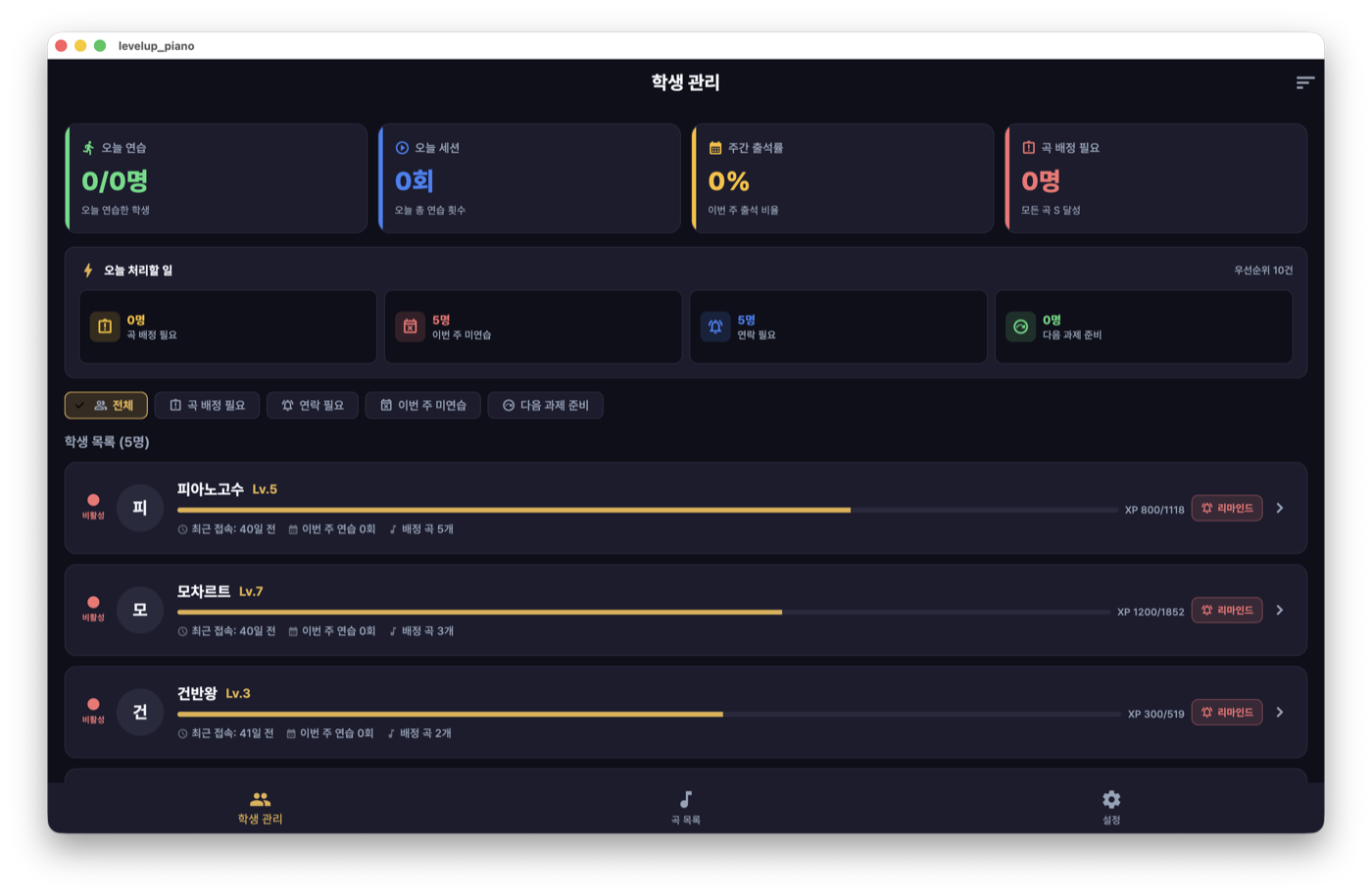
LevelUp Piano에서 선생님은 단순한 사용자가 아니라 콘텐츠 제작자이자 코치입니다. 곡을 만들고, 학생을 잇고, 진도를 보고, 응원합니다. 이 글은 선생님에게 특화된 기능들을 한 줄로 꿰어봅니다.
MIDI 한 파일에서 연습 곡으로
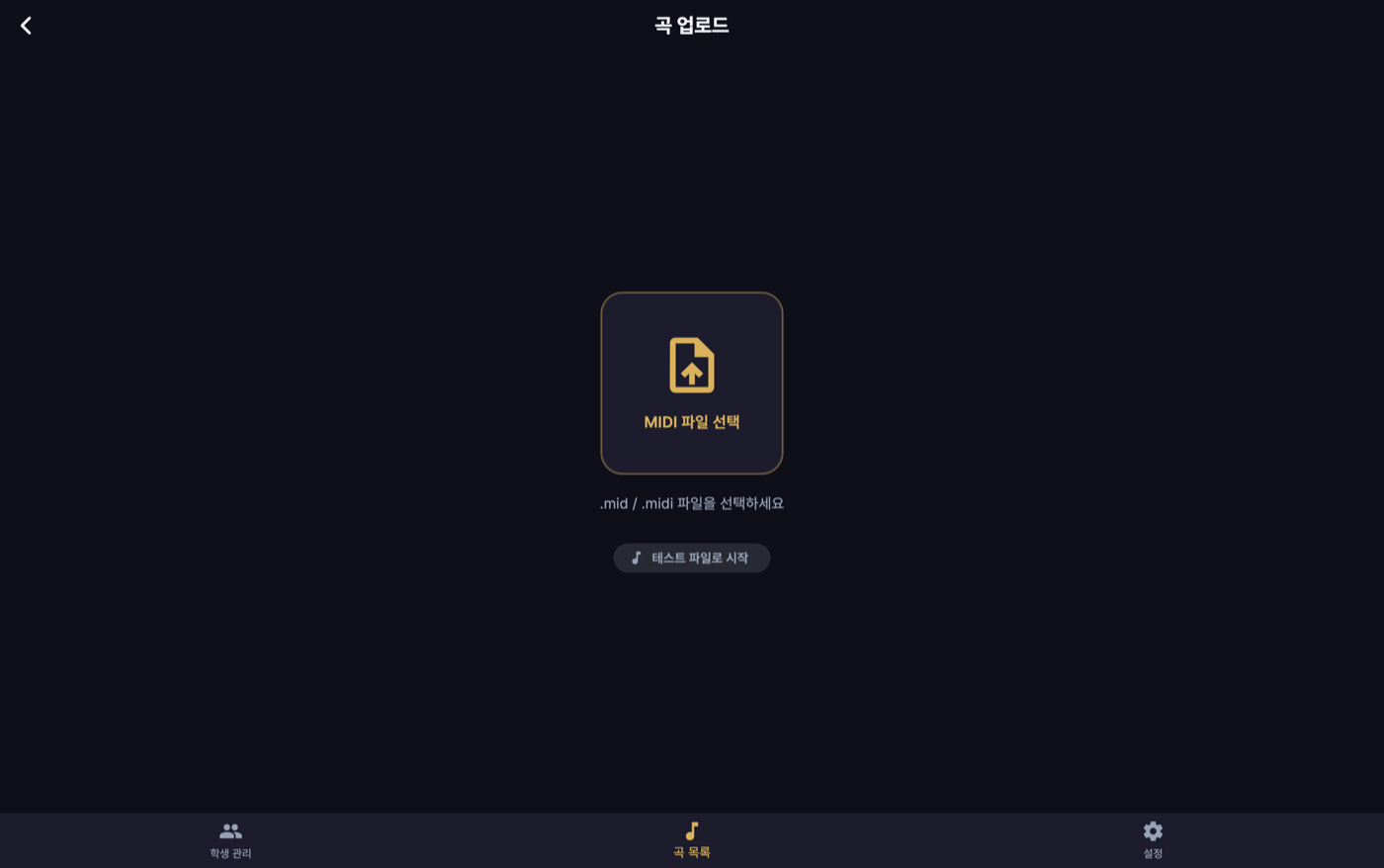
선생님의 출발점은 MIDI 파일 업로드입니다. 파일 하나가 연습 가능한 곡이 되기까지, 앱은 여러 단계를 자동으로 처리합니다.
- 파싱 — MIDI를 앱이 이해하는 노트 차트(어떤 음이 언제·얼마나·어느 손인지)로 변환합니다.
- 난이도 자동 추정 — 초당 노트 밀도로 Easy/Normal/Hard/Expert를 추천합니다. 선생님은 그대로 쓰거나 바꿉니다.
- 온디바이스 렌더링 — 반주 오디오를 1x·0.75x·0.5x 세 속도로 기기 안에서 만듭니다. (이 과정 자체가 흥미로워 별도 글로 풀었습니다.)
- 업로드·저장 — 노트 차트와 오디오는 파일 저장소로, 곡 메타데이터는 서버로.
업로드 화면은 진행 상태(분석 → 렌더링 → 업로드)를 그대로 보여주고, 만들어진 오디오를 그 자리에서 들어보며 검수할 수 있습니다.
네 단계는 어디서든 실패할 수 있습니다 — 깨진 파일의 파싱 실패, 렌더 실패, 저장소 업로드 실패, 서버 저장 실패. 그래서 각 단계를 상태로 노출해 실패한 지점에서 멈추고 재시도하게 했고, "절반만 만들어진 곡"이 카탈로그에 남지 않도록 노트 차트·오디오·메타데이터가 모두 자리 잡은 뒤에야 곡을 활성화합니다.
곡 배정과 학생 관리
선생님과 학생은 초대 코드로 이어집니다. 선생님이 코드를 발급하면(기본 30일 만료), 학생이 가입 시 그 코드를 입력해 반에 들어옵니다. 공개 검색이나 친구 추가가 아니라 코드 기반이라, 실제 레슨 관계만 깔끔하게 연결됩니다. 만료·오입력 코드는 서버가 거부하고, 관계는 나중에 해제할 수 있습니다.
연결된 뒤 선생님은:
- 만든 곡을 특정 학생에게 배정하고,
- 학생의 연습 세션·진도를 확인하며,
- 학생 목록에서 각자의 상태를 한눈에 봅니다.
선생님은 연결된 학생의 연습 데이터(점수·마디별 정확도·진도)만 봅니다 — 계정 이메일이나 결제 같은 개인정보는 보지 않습니다. "누가 무엇을 보는가"는 화면 조건문이 아니라 서버 인가로 정해집니다.
레슨과 출석
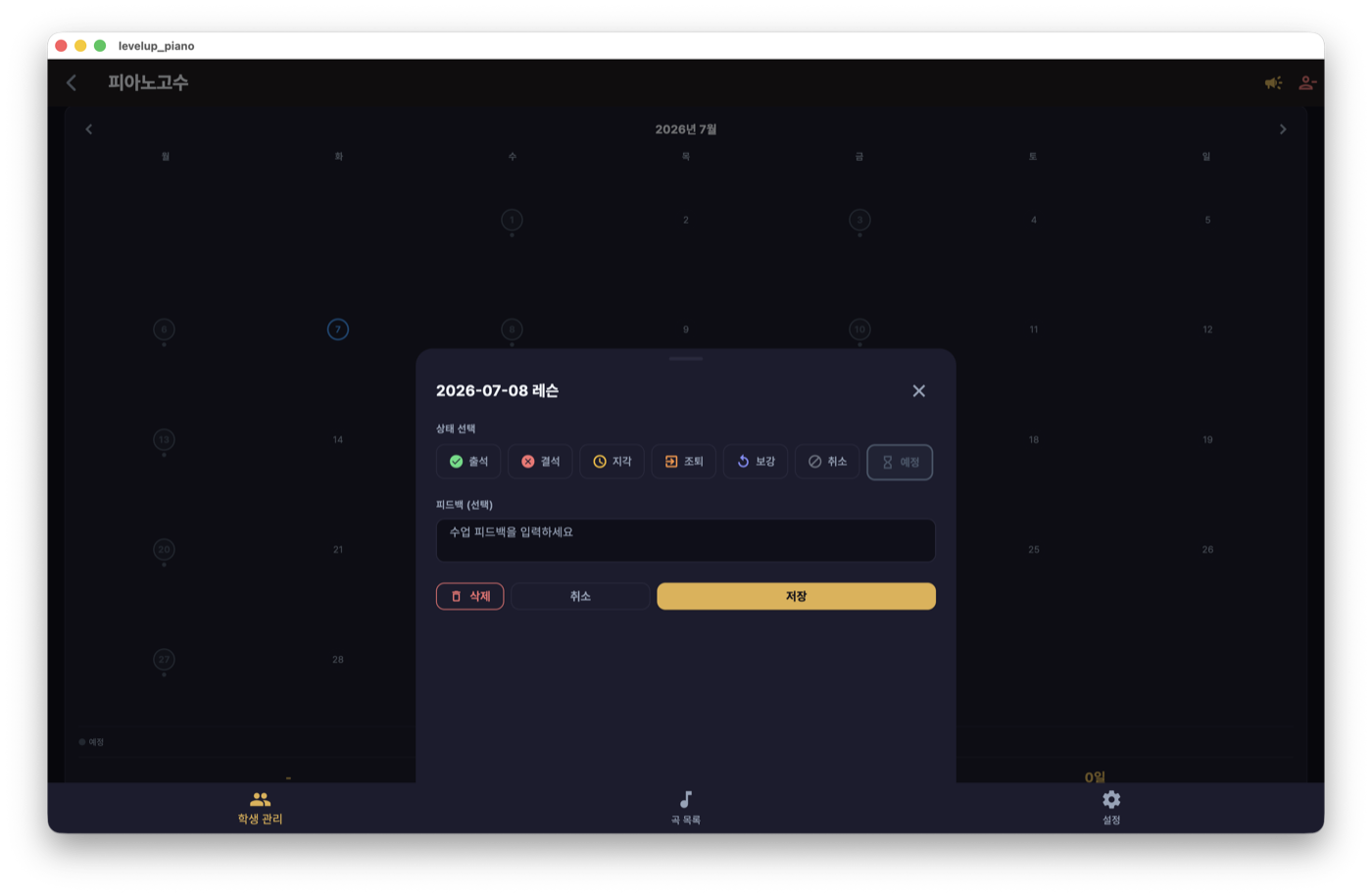
수업 자체도 앱 안에서 관리합니다. 학생별 레슨 일정을 잡고, 출석을 월 단위로 기록합니다. 온라인 연습 데이터와 오프라인 수업 흐름이 한 앱에서 이어지도록 한 부분입니다.
코치 루프: 응원·진단·테스트 플레이
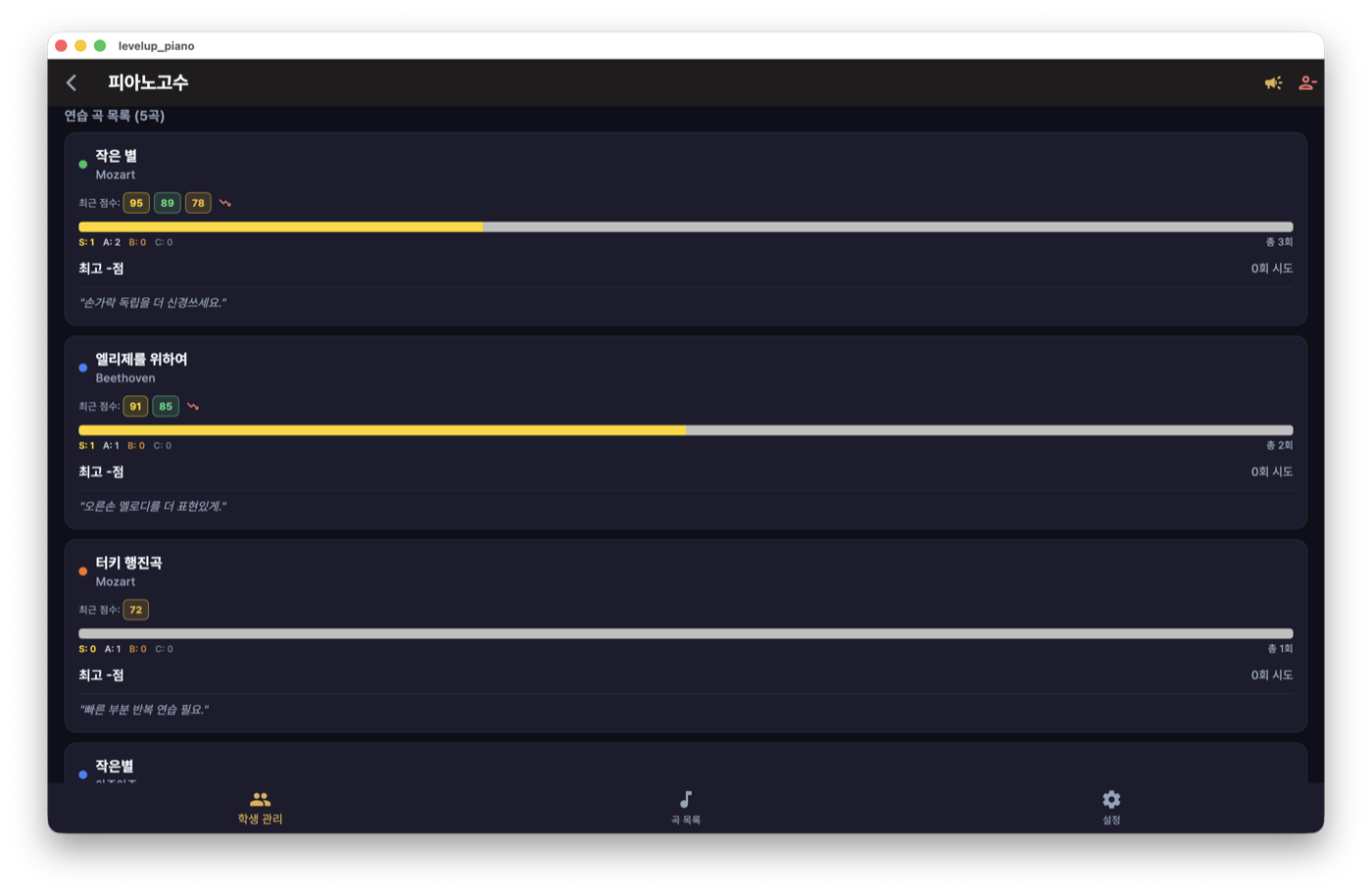
가장 공들인 곳은 코칭입니다. 데이터를 보는 데서 끝나지 않고, 선생님이 개입할 수 있게 했습니다.
- 응원(Cheer) — 학생에게 짧은 격려를 보냅니다. 프리셋 문구를 두되 다국어로 관리해, 학생의 언어로 도착합니다.
- 마디 단위 진단 열람 — 학생이 어느 마디에서 어느 손을 자주 틀리는지를 선생님도 봅니다. "다음 시간엔 3~7마디만" 같은 구체적 처방이 가능해집니다.
- 테스트 플레이(프리뷰 모드) — 업로드한 곡을 점수 미제출 상태로 직접 쳐보며 검수합니다. 배정 전에 곡이 제대로 도는지 선생님이 먼저 확인합니다.
곡을 만든다 → 학생을 잇는다 → 진도를 본다 → 응원한다. 선생님 기능은 이 하나의 루프로 설계됐다 — 학생용이 "혼자서도 즐겁게"라면, 선생님용은 "가르치는 손이 닿게".
마치며
선생님 기능은 "곡을 만든다 → 학생을 잇는다 → 진도를 본다 → 응원한다"는 하나의 루프로 설계했습니다. 업로드 파이프라인이 콘텐츠를 만들고, 초대 코드가 관계를 잇고, 진단과 응원이 그 관계를 살아 있게 합니다. 학생용 게임플레이가 "혼자서도 즐겁게"를 노린다면, 선생님용 도구는 "가르치는 사람의 손이 닿게"를 노렸습니다.
In LevelUp Piano, a teacher isn't just a user — they're a content creator and a coach. They build songs, link students, watch progress, and cheer. This post threads together the features built specifically for teachers.
From one MIDI file to a practice song
A teacher's starting point is uploading a MIDI file. To turn that file into a playable song, the app handles several steps automatically.
- Parsing — convert the MIDI into a note chart the app understands (which note, when, how long, which hand).
- Automatic difficulty estimate — from notes-per-second density, suggest Easy / Normal / Hard / Expert. The teacher keeps or changes it.
- On-device rendering — generate backing audio at three tempos (1x / 0.75x / 0.5x) on the device itself. (That process was interesting enough for its own post.)
- Upload & store — note chart and audio go to file storage; song metadata goes to the server.
The upload screen shows progress as it goes (analyzing → rendering → uploading), and lets the teacher preview the generated audio right there to review it.
Any of the four steps can fail — a parse failure on a corrupt file, a render failure, a storage upload failure, a server-save failure. So each step is surfaced as a state that stops and retries at the point of failure, and a song is only activated once its note chart, audio, and metadata are all in place — so no "half-built song" ever lands in the catalog.
Assigning songs and managing students
Teachers and students are linked by invite codes. The teacher issues a code (default 30-day expiry), and a student enters it when joining to enter the class. Because it's code-based rather than public search or friend requests, only real lesson relationships get connected — cleanly. Expired or mistyped codes are rejected by the server, and the relationship can be dissolved later.
Once linked, the teacher can:
- Assign a created song to a specific student,
- Review each student's practice sessions and progress,
- See everyone's status at a glance from the roster.
A teacher sees only a linked student's practice data (scores, per-measure accuracy, progress) — never personal data like account email or billing. "Who can see what" is decided by server-side authorization, not screen-level conditionals.
Lessons and attendance
The lessons themselves are managed in-app too. Teachers set per-student lesson schedules and record attendance by month. It's where online practice data and the offline lesson flow connect inside one app.
The coaching loop: cheers, diagnosis, test play
The part I labored over most is coaching. It doesn't stop at viewing data — the teacher can intervene.
- Cheers — send a student a short bit of encouragement. Preset phrases are localized, so they arrive in the student's language.
- Measure-level diagnosis — teachers see which measures and which hand a student misses most. That enables concrete prescriptions like "next time, just measures 3–7."
- Test play (preview mode) — play an uploaded song yourself with no score submitted, to review it. The teacher confirms the song works before assigning it.
Build a song → link a student → watch progress → cheer. The teacher tools are designed as this one loop — if student gameplay aims for "fun even on your own," the teacher toolkit aims for "the teaching hand can reach in."
Closing
Teacher features are designed as one loop: "build a song → link a student → watch progress → cheer." The upload pipeline creates content, invite codes forge the relationship, and diagnosis and cheers keep that relationship alive. If student gameplay aims for "fun even on your own," the teacher toolkit aims for "the teaching hand can reach in."